
Creating A Substitute Mylar Sheet For the KR10/KR11 Knit Contours
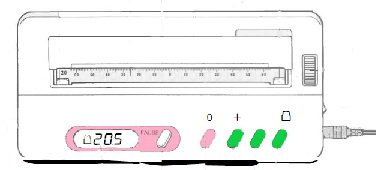
The KR10 and KR11 electronic Knit Contours have not been manufactured since approximately year 2000. The factory in Japan was destroyed then and went out of business in Japan. China, where Silver Reed machines are made now, did not make any new Knit Contour/Radar units, and they are currently only available as pre-owned. The mylar sheets are frequently missing, and it is not possible to use the Knit Contour without them. Unfortunately, the mylars are very hard to find.
I have been working on developing substitutes for these mylar sheets. Many machine knitters also own scrapbook cutting machines. We have been able to cut punch cards on them for several years, and I thought it would be possible to do the same thing for mylar sheets.
There are two issues to consider. The size of the sheet, size and spacing of the holes is very important, since the holes must line up with the feeding sprocket teeth on each side of the Knit Contour. I had to play with this several times; being off just 3 millimeters over the complete length of the sheet caused it to hang up about halfway through the Knit Contour. I have cut and adjusted several times, and it now feeds through my unit correctly.
Finding a good substitute for the mylar will be the next experiment. I have been using legal size copier paper, and it does work, but is not durable. It also sticks to the mat, and curls when pulled off. An old mat, that is no longer very sticky, works much better. I also found that 24 pound paper was better than 20 pound copier paper, but card stock, even the 65 pound version, did not feed through my Knit Contour well.
There is also a 16 inch file for the mylar sheet substitute included. You need longer material to use it, as well as the long mat for your cutting machine. I was able to cut tabloid/ledger paper and meat wrap/butcher paper using it, and they did feed through my KR10. When using butcher paper it is necessary to first cut a sheet and trim it to fit on the cutting mat.
After the size of the sheet and holes worked correctly, I cut one from Yupo Translucent. It worked perfectly. However, this is expensive material. Also, the sheets in the pad are only 14” long, so they will not make a full-length mylar; those are approximately 18” in length. Yupo does come in rolls, but that is also very expensive, and I am trying to find a good alternative.
After the size of the sheet and holes worked correctly, I cut one from Yupo Translucent. It worked perfectly. However, this is expensive material. Also, the sheets in the pad are only 14” long, so they will not make a full-length mylar; those are approximately 18” in length. Yupo does come in rolls, but that is also very expensive, and I am trying to find a good alternative.
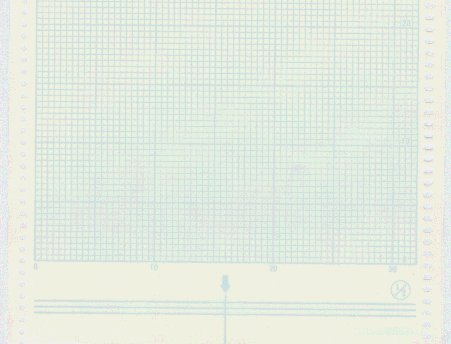
Mylar sheets that come with the KR10 and KR11 are very thin; I have no way to test them for thickness, but they are much thinner than 4 mil Dura-Lar, which also did not feed well in my KR10 unit.
At this point, the only things I found that will feed through my KR10 are Yupo and paper. I got some HP brand coated legal size paper in the 24 pound weight for the short mylar substitute, and that is the best one so far, but it does require either purchasing a package or possibly finding it by the sheet at a copy shop. Meat wrap/butcher paper is really the only thing I have found so far for the longer sheet; it, of course, also will work for the short sheet and may be more economical than purchasing a package of coated business-grade legal size paper. I used plain, uncoated meat wrap paper and have not tried the coated variety, so don’t know how that would work.
It takes about 2 minutes to cut a pattern sheet out of paper (on my Silhouette Cameo 4) and they will feed through the Knit Contour several times. Paper seems like a reasonable product for this project.
Most cutting machines will accept svg files. These are available to download in 12 inch and 16” lengths.
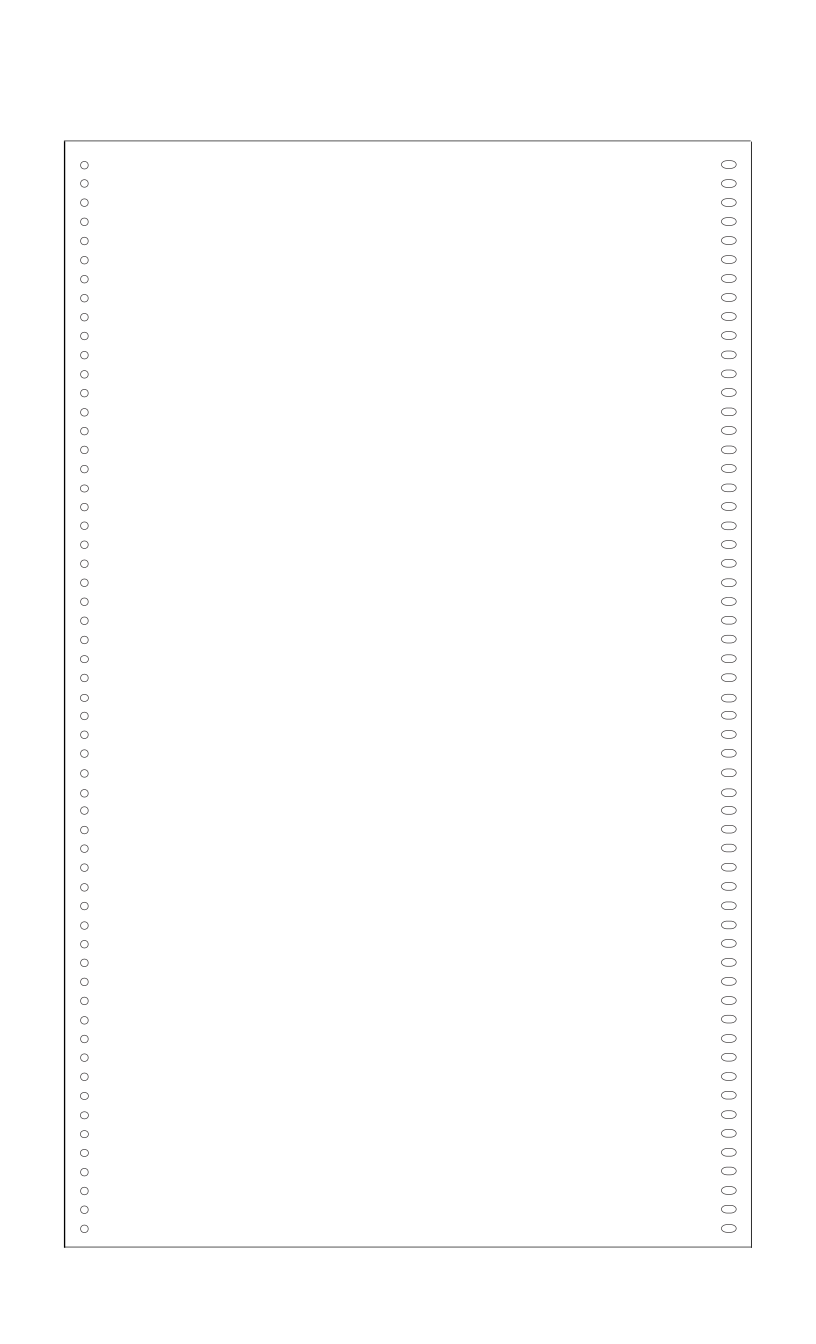
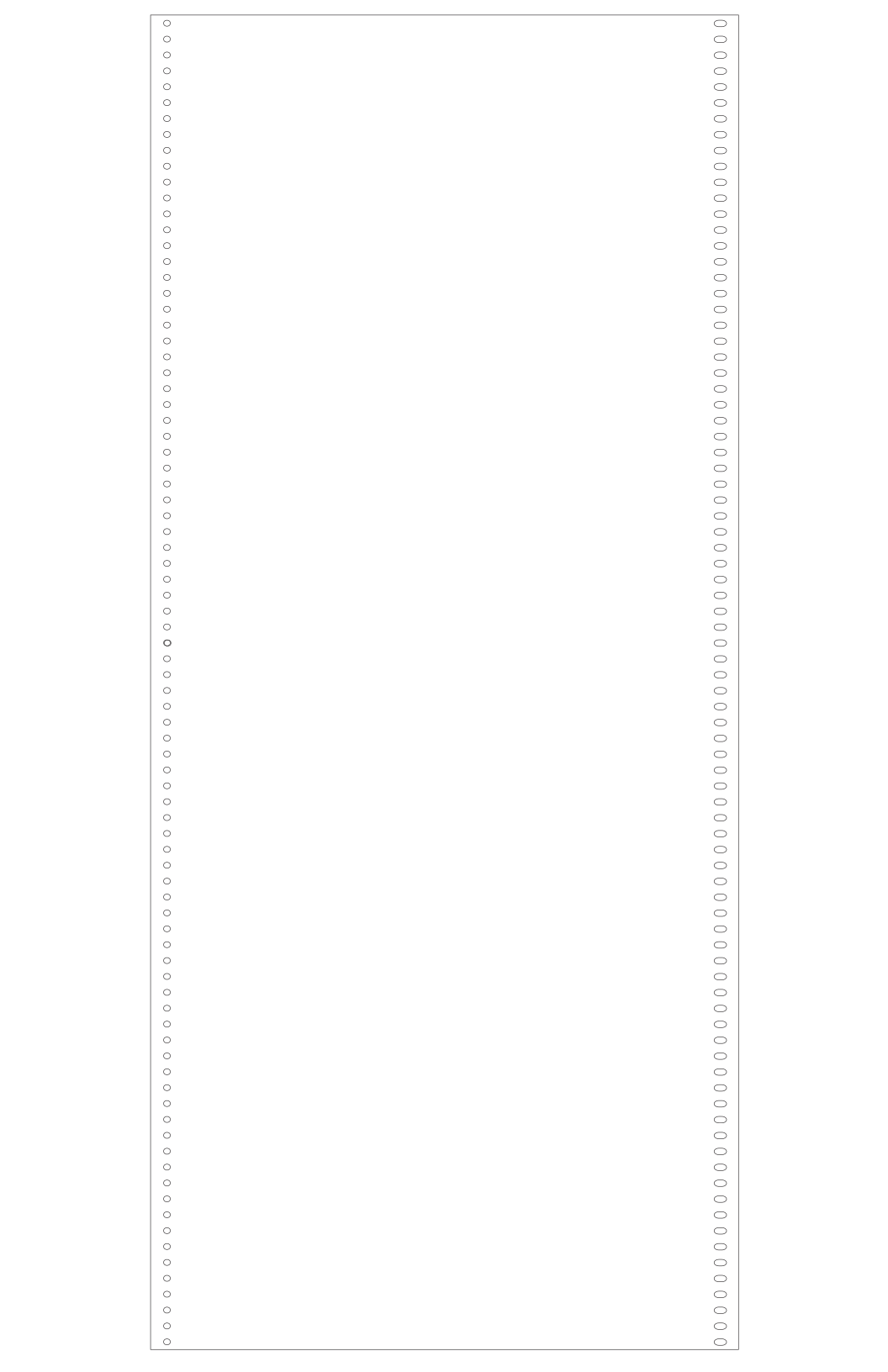
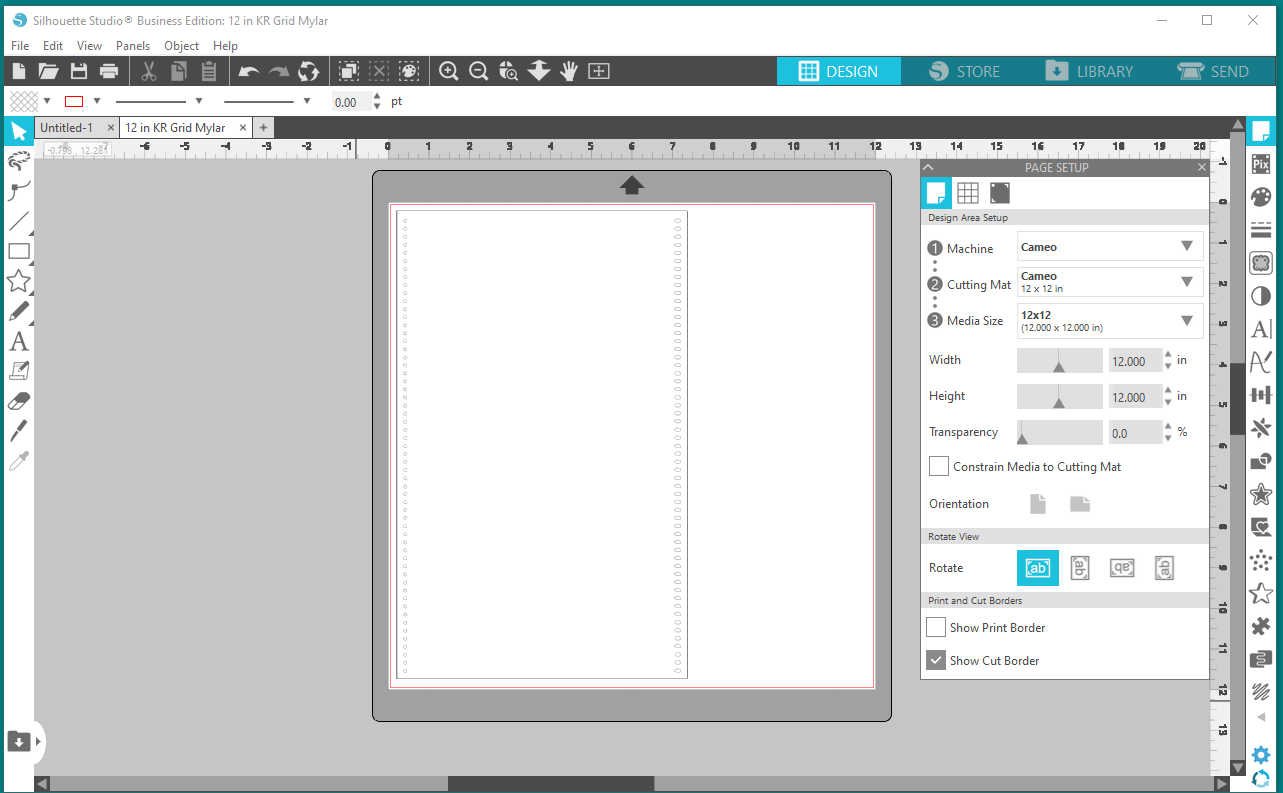
This is a screen shot of my Silhouette Cameo software.
Move the shape to where you want it to cut. It is shown on the 12 x 12 mat, on a 12" square of paper. The "mylar" file itself is really only approximately 11.5" tall. So that it will cut correctly, there must be a small margin around the outside of the file. This is just the cut file; I found it very frustrating to try to draw lines and grids accurately on it with the Silhouette pen.
I was using a piece of meat wrap paper in the screen shot, above, but found that I prefer using 24 pound legal size printer paper, which is not shown. You will need the longer mat for legal size paper.
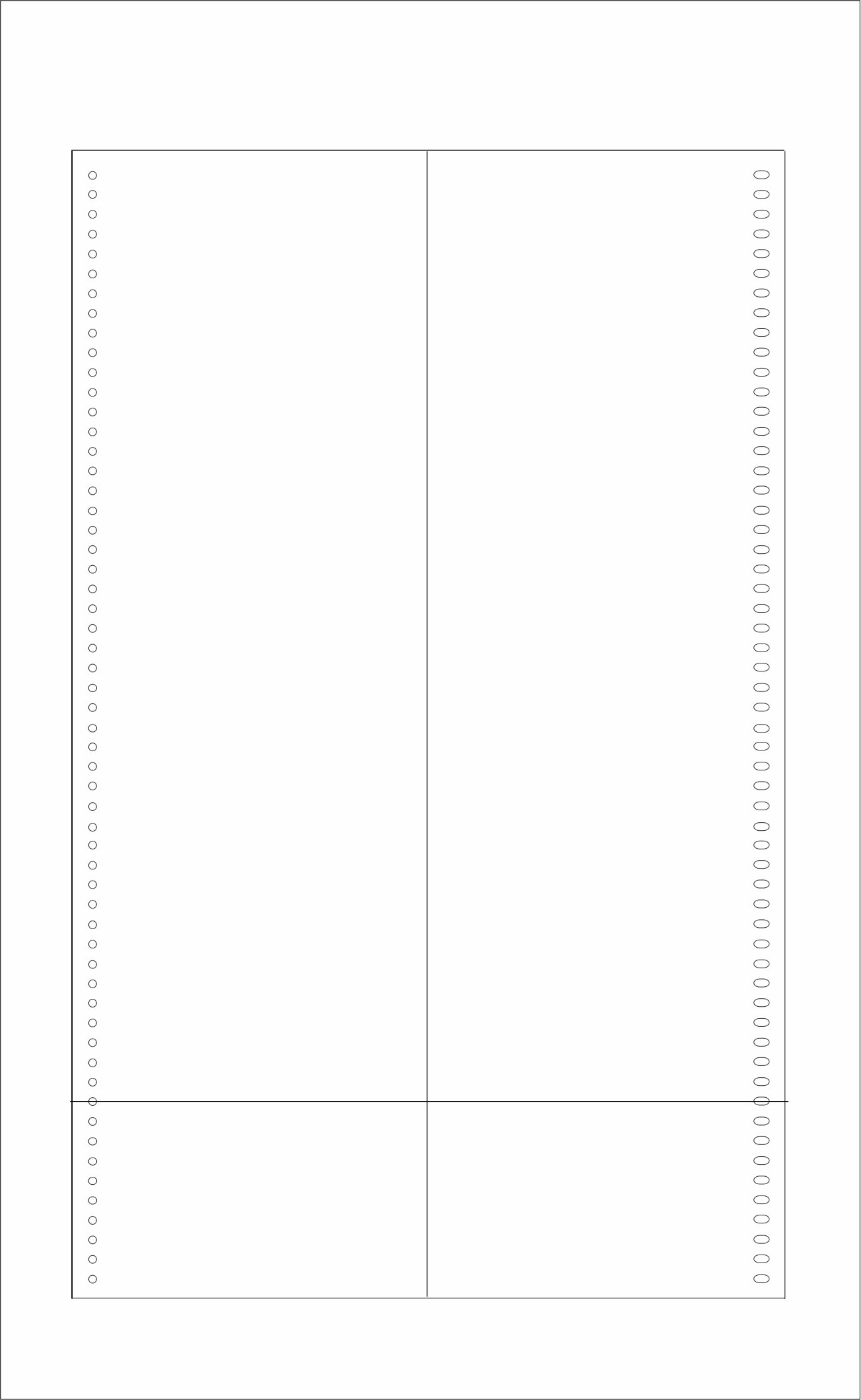
The original real mylar sheets have grids printed on them. These help to place garment outlines correctly. I was not able to get these to print correctly. My Silhouette uses pens to draw the lines, and I just could not get them on the sheet accurately. It was much easier to draw the lines on afterwards using a ruler and pencil or fine tip permanent marker.You may be able to do this accurately with your cutter, but do check carefully.
I found that with just an accurate vertical center line and a horizontal line 2” up from the bottom edge, these were enough to correctly position the garment on the sheet.
NOTE, Very Important!
There is almost no tolerance for error when cutting this file. The holes, especially on the left side, MUST line up exactly with the sprocket in the Knit Contour. They are very small holes. If your cutter does not cut these precisely they won’t fit over the little teeth on the sprocket and the sheet will not feed correctly, or at all.
The sheet can twist as it feeds through and bunch up inside the Knit Contour if the holes are off even the smallest amount.
Always make a test cut with paper, no matter what material you will ultimately use for the sheet. It may be necessary to adjust the size of the sheet slightly in your cutter’s software, either slightly larger or slightly smaller. This can be as little as 3 millimeters up or down for the total length of the sheet. On my Silhouette Cameo this was 3 mm. You might not need to change anything but it is better to make a test cut, or even a few test cuts. Once you have adjusted as necessary, be sure to make a note of what you did for cutting future sheets.